
A virtual PA for executives typically owns calendar architecture, inbox triage, travel logistics, meeting preparation, and vendor coordination – the recurring operational load that consumes hours but doesn’t require the executive’s judgment. What stays firmly with the executive is anything involving final strategic decisions, sensitive people issues, board-level relationships, and negotiations where tone and context carry real business risk. Understanding exactly where that line sits is the difference between a support hire that frees up your calendar and one that quietly adds more to it.


Most leadership teams get this split wrong at least once, usually by handing over either too little or too much, and both mistakes are expensive. If you’re evaluating a virtual personal assistant service for your own leadership team, the goal of this guide is to give you a working map: what a capable virtual PA for executives should be handling this month, what should never leave your desk, and how to draw that boundary without micromanaging the relationship.
What a Virtual PA for Executives Actually Is
A virtual PA for executives is a remote professional who manages the operational layer of a leader’s day: schedule, inbox, travel, documentation, and follow-through. Unlike a general virtual assistant, an executive-focused PA is trained to make judgment calls within defined boundaries, not just execute checklists.

The role sits closer to a strategic partner than to clerical support. Consequently,
the best executive PAs:
- Learn an executive’s decision patterns well enough to triage without constant check-ins
- Protect calendar time actively rather than simply booking whatever comes in
- Anticipate follow-up needs before a meeting ends
- Flag only the two or three items per day that genuinely need the executive’s input
Because the relationship depends on trust built over weeks, not days, the first month typically looks different from month three – a point worth remembering when you’re comparing options. There’s also a cognitive argument for offloading this layer of work early: research from the Association for Psychological Science shows that repeated low-value decisions measurably drain the mental capacity leaders need for harder calls later in the day.
The Tasks Senior Executives Delegate First
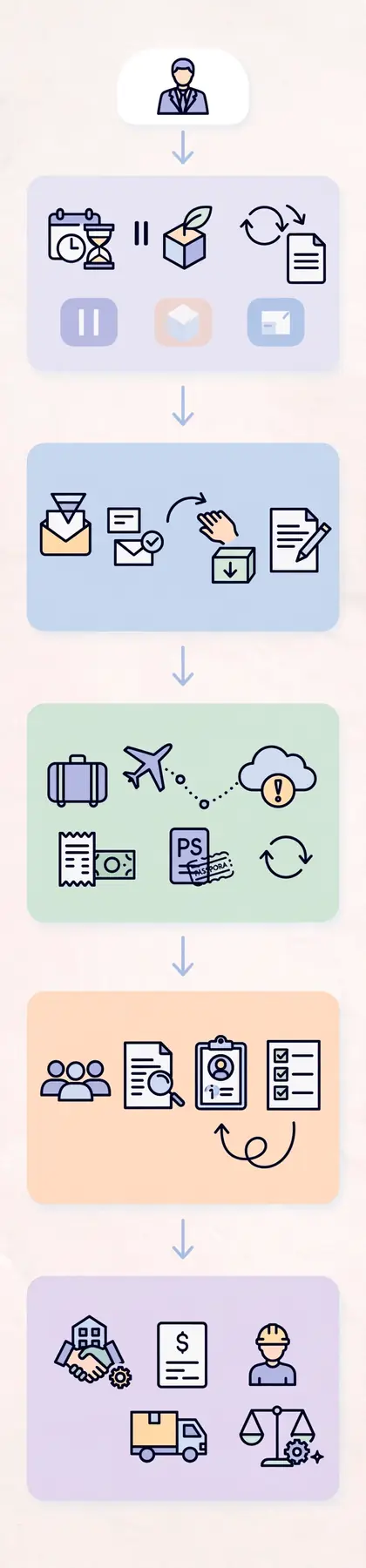
When leadership teams start working with a virtual PA for executives, a fairly consistent pattern shows up. Certain categories move off the executive’s plate almost immediately, since they consume time without demanding judgment. This isn’t just anecdotal: Gallup’s research on business leaders has repeatedly linked strong delegation habits to measurably better company performance.
Calendar and Time Architecture
Scheduling is rarely just “book the meeting.” A skilled virtual PA:
- Builds buffer time between back-to-back calls
- Protects deep-work blocks from being overwritten
- Declines low-value meeting requests using pre-agreed criteria
- Reshuffles the week when priorities shift midday
Inbox Triage and Correspondence
Email consumes a disproportionate share of an executive’s week. A virtual PA for executives typically:
- Sorts messages into “respond now,” “delegate,” and “archive” categories
- Drafts responses to routine or templated requests
- Surfaces only the handful of emails that actually need the executive’s voice
Travel and Logistics Coordination
Booking flights is the easy part. The harder part – and where a good PA earns their keep – is handling:
- Multi-leg itineraries with contingency plans for delays
- Visa, expense, and per diem documentation
- Real-time rebooking when a flight is cancelled at 6 a.m.
Meeting Preparation and Follow-Through
Before a meeting, a strong PA compiles background notes, attendee context, and open action items from the last conversation. Afterward, they track follow-ups so nothing slips because the executive moved straight into the next call.
Vendor and Team Coordination
Chasing invoices, coordinating with contractors, and confirming logistics with internal teams are exactly the kind of low-judgment, high-friction tasks that belong with a dedicated support la
The Tasks That Should Never Leave the Executive’s Desk
Delegation has a ceiling, and pretending otherwise creates real organizational risk. Regardless of how capable a virtual PA for executives is, certain categories stay with the leader.
Final Strategic Decisions
A PA can gather every input needed to make a decision. They should not be the one making the call on hiring a VP, entering a new market, or reversing a public commitment. That judgment is precisely what the executive is paid for.
Sensitive People Matters
Performance issues, terminations, compensation disagreements, and internal conflict resolution require the executive’s direct involvement. Routing these through a PA – even a trusted one – erodes trust with the people affected.
High-Stakes Negotiations
Contract terms, partnership structures, and investor conversations depend on tone, timing, and relationship history that a PA, however well-briefed, cannot fully replicate in the room.
Board and Investor Relationships
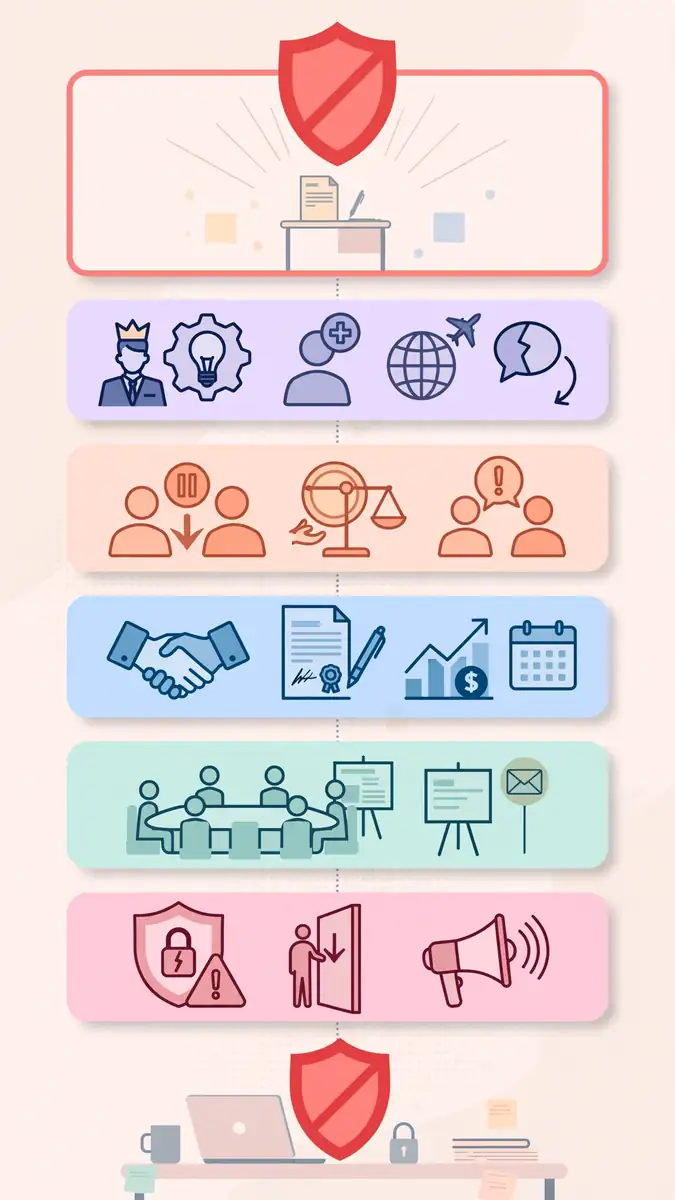
A PA can prepare the board deck and confirm logistics. They should not be the primary point of contact for board members or investors on substantive matters – that relationship is the executive’s to hold.
Crisis Communication
When something goes wrong publicly – a data breach, a leadership departure, a PR issue – the message needs to come from the executive, even if a PA drafts the first version for review.
Delegation Matrix: What Goes Where
| Task Category | Delegate to Virtual PA | Keep With Executive |
|---|---|---|
| Calendar management | Yes – full ownership | No |
| Inbox triage & routine replies | Yes – full ownership | Final sign-off on sensitive threads |
| Travel booking & rebooking | Yes – full ownership | No |
| Meeting prep & follow-up tracking | Yes – full ownership | Attending and deciding |
| Vendor/invoice coordination | Yes – full ownership | Contract approval |
| Hiring and firing decisions | No | Yes – always |
| Board and investor communication | Prep support only | Yes – direct relationship |
| Contract negotiation | Research support only | Yes – final terms |
| Crisis communication | Drafting support only | Yes – final message |
| Performance management | No | Yes – always |
Virtual PA vs. In-House EA vs. Doing It Yourself
Executives evaluating support options usually weigh three paths at once. Here’s how they actually compare on the factors that matter most.
| Factor | Virtual PA for Executives | In-House Executive Assistant | Doing It Yourself |
|---|---|---|---|
| Setup time | Days to a couple of weeks | Weeks to months (hiring cycle) | None, but ongoing cost is hidden |
| Cost structure | Subscription or hourly, scalable | Full-time salary plus benefits | No direct cost, high opportunity cost |
| Coverage | Often extended hours, cross-trained backup | Single point of coverage, PTO gaps | Zero redundancy |
| Onboarding effort | Moderate – documented preferences once | Higher – hiring, training, office setup | None |
| Best fit | Leaders who need flexibility and speed | Leaders needing constant physical presence | Very early-stage founders only |
Neither model is universally better; the right choice depends on whether an executive needs someone physically present for in-person logistics or primarily needs the recurring operational load handled reliably and remotely.
Common Delegation Mistakes Executives Make
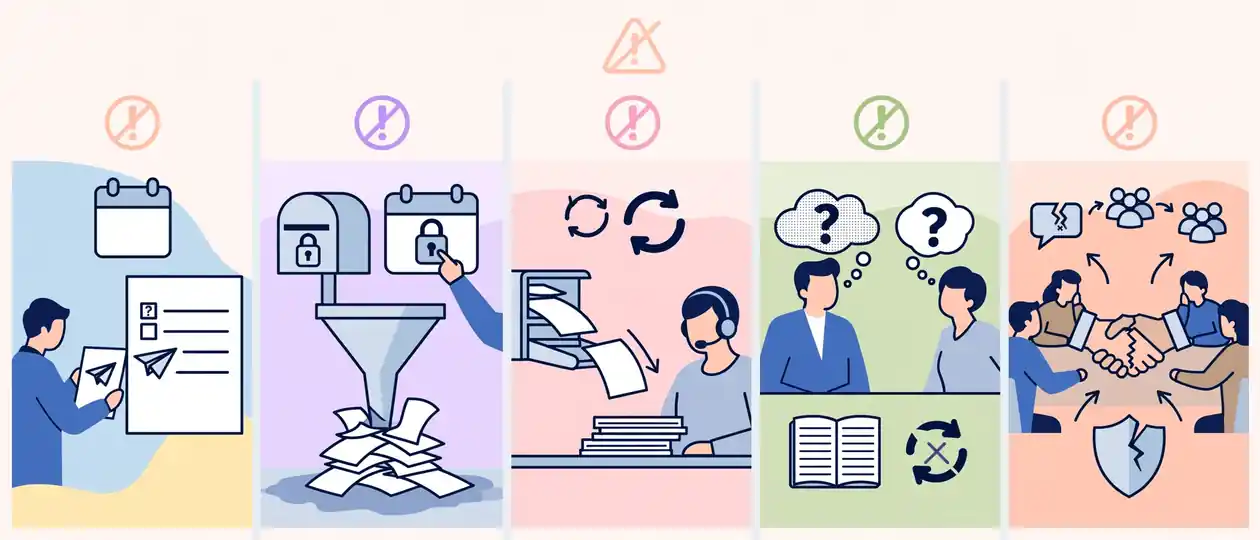
Even experienced leaders stumble in predictable ways when they first bring in support. Recognizing these patterns early prevents months of friction.
- Delegating the task but not the context. Handing over a calendar without explaining priorities leads to a PA who books correctly but protects nothing.
- Withholding access out of habit. Refusing to share inbox or calendar access “for now” simply recreates the bottleneck the PA was hired to remove.
- Treating the PA as a one-way inbox. Effective delegation includes feedback loops – telling a PA when something went well, not only when it didn’t.
- Expecting mind-reading in week one. Judgment calls come from repetition and documented preferences, not instinct on day one.
- Over-delegating relationship-based tasks. Sending a PA into a negotiation or board interaction because the executive is “too busy” damages credibility on both sides.
Expert Tips for Handing Off Work Without Losing Control

Delegation done well isn’t about letting go entirely – it’s about designing a system where oversight happens without micromanagement. Harvard Business School’s guidance on effective delegation echoes most of what shows up in practice with executive PAs.
- Document preferences once, thoroughly. A one-time briefing on travel preferences, communication style, and decision thresholds saves months of back-and-forth.
- Set a weekly 15-minute sync. A short recurring check-in surfaces friction before it becomes a pattern.
- Define escalation triggers explicitly. Tell your PA exactly which situations should always come back to you, rather than leaving it to guesswork.
- Review, don’t redo. If a draft email needs edits, correct it and explain why – rewriting from scratch every time teaches nothing.
- Track time saved, not just tasks completed. The real ROI of a virtual PA for executives shows up in hours reclaimed for strategic work, not in ticked-off checklists.
How to Onboard a Virtual PA in Your First 30 Days
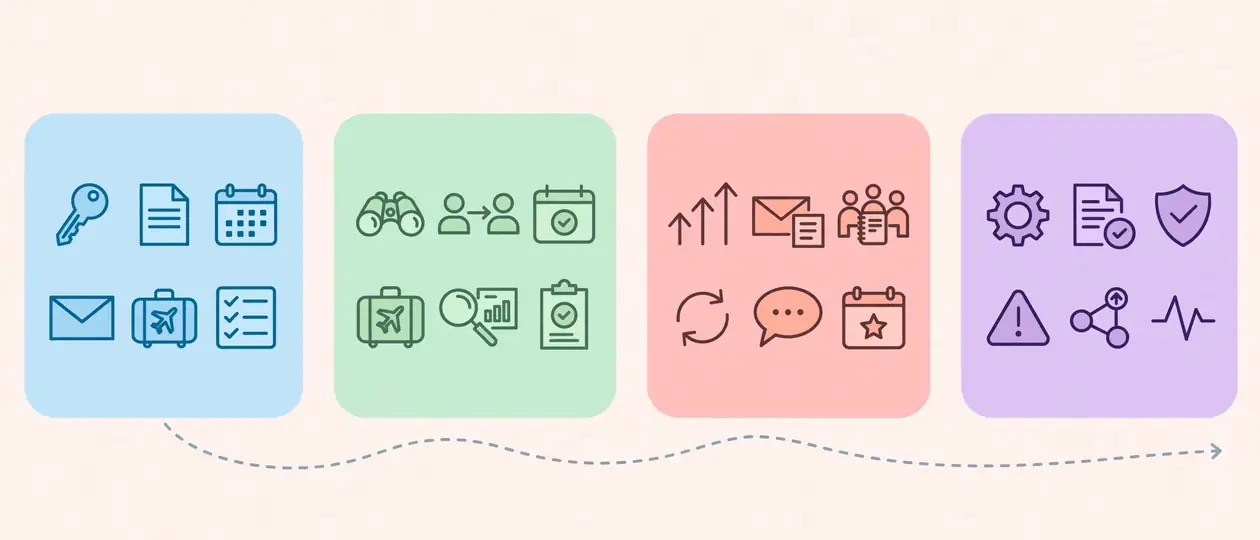
A structured first month sets the tone for everything that follows.
- Week 1 – Access and documentation. Grant calendar, inbox, and travel-tool access; document your working style and non-negotiables.
- Week 2 – Shadow and low-risk delegation. Hand over scheduling and travel first; review outcomes closely.
- Week 3 – Expand scope. Add inbox triage and meeting prep; introduce the weekly sync.
- Week 4 – Calibrate and formalize. Adjust escalation rules based on what worked, and lock in the ongoing rhythm.
By the end of the first month, most executives report needing far fewer check-ins than they expected going in.
Frequently Asked Questions
What does a virtual PA for executives typically cost?
Pricing varies by scope and hours, but most executive virtual PA arrangements run as a monthly subscription or hourly retainer rather than a full-time salary, which is usually far lower than an in-house hire once benefits and overhead are factored in.
Can a virtual PA for executives handle confidential information?
Yes, provided the arrangement includes clear confidentiality agreements and access controls. Sensitive scheduling, financial documentation, and correspondence are standard parts of the role when trust and process are established.
How is a virtual PA for executives different from a general virtual assistant?
A general VA usually handles discrete, task-based requests. An executive-focused PA is trained to exercise judgment within defined limits, anticipate needs, and manage an executive’s time holistically rather than one ticket at a time.
How quickly can a virtual PA for executives start adding value?
Basic tasks like scheduling and travel booking can be handled within the first week. Higher-judgment tasks – like inbox triage without oversight – typically take two to four weeks as the PA learns the executive’s patterns.
Should a virtual PA for executives attend meetings?
Only in a support capacity – taking notes, tracking action items, or handling logistics. Decision-making and relationship-carrying conversations should stay with the executive.
Conclusion
The executives who get the most out of delegation aren’t the ones who hand off the most tasks – they’re the ones who draw the line in the right place. A virtual PA for executives should absorb the recurring, judgment-light work that eats a calendar alive: scheduling, inbox triage, travel, meeting prep, and vendor coordination. Everything tied to final decisions, sensitive relationships, and organizational trust stays exactly where it belongs, with the leader.

If you’re ready to see where that line sits for your own week, explore VPERO’s virtual personal assistant services and find out how much of your calendar could realistically move off your plate.
Pingback: Virtual PA vs Virtual Assistant Difference Explained