
The virtual PA vs virtual assistant difference comes down to scope and relationship: a virtual assistant (VA) delivers task-based administrative support under a defined service scope, often across several clients, while a virtual PA (virtual personal assistant) acts as a dedicated, proactive extension of one principal, managing calendar, inbox, travel, and personal or professional priorities with deep context. VAs typically suit clear, repeatable, project-style workloads billed by the hour or by task, whereas virtual PAs suit ongoing, judgment-heavy support on a retainer with elevated access and trust. Choose a VA when you need output on defined tasks; choose a virtual PA when you need someone who anticipates your needs and protects your time.


If you want to see how the second model works in practice, explore a retainer-based remote personal assistant delivery model and compare it with what you have read so far.
Quick Answer: Virtual PA vs Virtual Assistant at a Glance
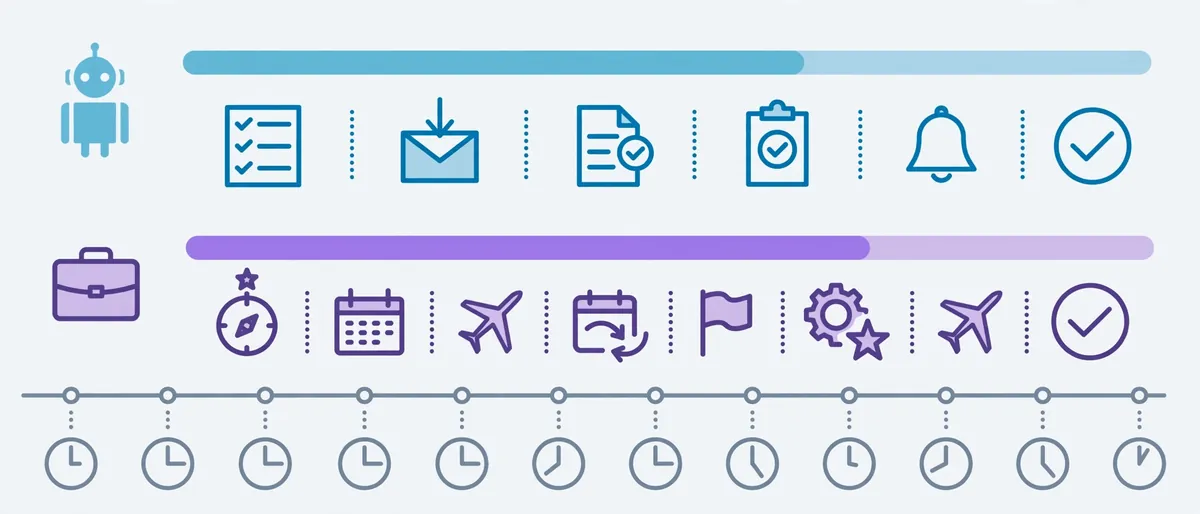
Before the deep dive, here is the short version.
- Virtual assistant (VA): task-focused, flexible, usually serves multiple clients, and works from a defined list of services.
- Virtual PA: relationship-focused, proactive, usually dedicated to one person, and works from context, not a checklist.
- Overlap: both work remotely, both handle admin, and both can save you serious hours each week.
- Biggest divider: a VA executes what you assign; a virtual PA also decides what needs your attention next.
Consequently, the “right” choice depends less on job titles and more on how much judgment, access, and continuity your work demands.
What is a Virtual Assistant?
A virtual assistant is a remote professional who provides administrative, technical, or creative support to clients from outside their office. Most VAs work as freelancers or through agencies, and they usually specialize in a defined skill set.
Typical VA services include:
- Data entry and spreadsheet maintenance
- Email sorting and basic replies
- Appointment scheduling
- Social media scheduling
- Research and list building
- Invoice preparation and expense tracking
According to the U.S. Bureau of Labor Statistics, administrative support roles center on tasks such as scheduling, correspondence, and record keeping. A virtual assistant delivers many of those same functions remotely.
How a VA Usually Works
Most VA engagements follow a task-based rhythm. You send a request, the VA completes it, and you review the result. Therefore, the relationship stays transactional by design, which keeps costs predictable and scope clear.
Many VAs also split their week across several clients. That model works well for defined workloads. However, it limits how deeply any single VA can learn your preferences.
What Is a Virtual PA (Virtual Personal Assistant)?
A virtual PA is a remote assistant who supports one principal on an ongoing basis, managing their calendar, communications, travel, and priorities with a high degree of autonomy and discretion. In short, a virtual PA operates like an in-house personal assistant without the desk, the commute, or the payroll overhead.
A virtual PA typically handles:
- Full calendar ownership, including conflict resolution
- Inbox triage with drafted responses in your voice
- Travel planning and itinerary management
- Meeting preparation and follow-up notes
- Personal errands, bookings, and household coordination
- Confidential document handling

What Makes a Virtual PA Different in Practice
A virtual PA does not wait for a task list. Instead, the PA learns how you decide, what you protect, and what you ignore. Over time, that context lets the PA act before you ask.
For example, a PA notices that a Thursday investor call collides with a school pickup. Then the PA moves the call, informs the other party, and updates your travel buffer. You never see the problem.
For a closer look at how senior professionals use this model, read what executives actually hand off to a virtual PA.
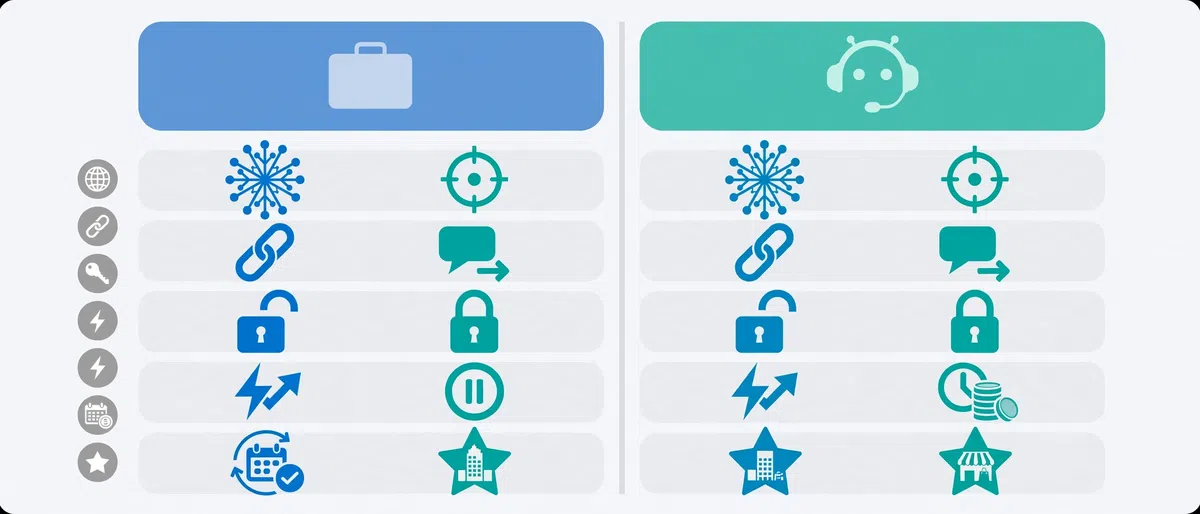
Virtual PA vs Virtual Assistant Difference: Side-by-Side Comparison
The table below breaks down the virtual PA vs virtual assistant difference across the factors that matter most.
| Factor | Virtual Assistant (VA) | Virtual PA (Virtual Personal Assistant) |
|---|---|---|
| Core role | Executes defined tasks | Manages priorities and anticipates needs |
| Relationship | Transactional, often multi-client | Dedicated, long-term, high trust |
| Initiative | Acts on instructions | Acts on context and judgment |
| Scope | Business or admin tasks | Business, calendar, and personal life |
| Access level | Limited, task-specific | Broad (email, calendar, accounts, travel) |
| Continuity | Varies by assignment | Builds cumulative knowledge of you |
| Billing model | Hourly, per task, or package | Monthly retainer or reserved hours |
| Best for | Projects, overflow, specialized tasks | Executives, founders, busy professionals |
| Learning curve | Short | Longer, then far more efficient |
Where the Two Roles Overlap

Despite the differences, the roles share plenty of ground. In fact, many providers use the terms interchangeably, which explains most of the confusion.
Both roles typically:
- Work remotely across time zones
- Use tools such as shared calendars, task boards, and password managers
- Handle scheduling and inbox support
- Follow confidentiality expectations
- Reduce your administrative load
As a result, the label matters less than the actual scope in the service agreement. Always read what the provider delivers, not just what they call it.
Key Differences Explained in Depth
Let us unpack each divider so you can judge which one fits your workload.

1. Scope of Work: Tasks vs Priorities
A VA works from a scope. You define the deliverable, and the VA produces it. That structure suits repeatable work, such as weekly reporting or lead research.
A virtual PA works from priorities. You explain what matters, and the PA decides how to protect it. Consequently, the PA handles messy, unstructured requests that a task list cannot capture, like “make next week less chaotic.”
2. Level of Access and Trust
Access marks one of the sharpest lines in the virtual PA vs virtual assistant difference. A VA often needs limited access to one tool or folder. A virtual PA often needs your inbox, calendar, travel accounts, and sometimes financial or household details.
That level of access demands strong security habits. The Federal Trade Commission publishes practical guidance on protecting personal information in business settings, and it applies directly here. At minimum, use a password manager, share access through delegated permissions, and avoid sending credentials over email.
3. Proactivity and Decision-Making
Proactivity separates a helpful assistant from an indispensable one. A VA typically asks, “What would you like me to do next?” A virtual PA asks, “What will you need next week, and how do I prepare it now?”
Moreover, a virtual PA flags risks. For instance, the PA spots a double-booked flight, a missing signature, or an unanswered message from a key client before those problems escalate.
4. Continuity and Context
Context compounds. After several months, a virtual PA knows which contacts you always answer, which meetings you dread, and how you like your agenda formatted. That knowledge makes every future task faster.
A multi-client VA can build context too. However, split attention and rotating assignments often slow that process.
5. Personal vs Professional Support
VAs usually stay inside the business lane. Virtual PAs cross into personal territory when the principal wants that. Examples include booking family travel, coordinating home services, and managing personal appointments.
If you want to explore that lane, this guide on a virtual assistant for personal life shows what personal delegation can look like.
6. Pricing and Engagement Structure
VAs commonly bill by the hour, by task, or through packaged hours. Virtual PAs commonly work on a retainer, which reserves capacity for you and supports deeper integration. We cover this fully in the next section.
Virtual PA vs Virtual Assistant Cost: How Pricing Models Differ
Price often drives the decision, so it deserves a clear look. Rates vary widely by region, experience, and provider, which is why comparing structures matters more than comparing single numbers.
| Engagement Model | Typical Fit | Main Advantage | Main Trade-Off |
|---|---|---|---|
| Pay-per-task | One-off projects | Zero commitment | Limited context; slower onboarding each time |
| Hourly | Variable workloads | Pay only for time used | Costs rise fast with heavy use |
| Prepaid hour packages | Predictable, moderate needs | Better effective rate | Unused hours may expire |
| Monthly retainer | Ongoing, deep support | Reserved capacity and continuity | Higher fixed monthly commitment |
A useful rule: if you delegate irregularly, hourly or task-based VA work usually costs less. Conversely, if you delegate daily, a retainer-based virtual PA often delivers better value per hour because context reduces rework.
For a full breakdown, see this guide on hourly, monthly, and retainer pricing for virtual personal assistants.
Keep in mind that classification also matters legally. The IRS explains how independent contractor status is determined through behavioral control, financial control, and the nature of the relationship. Consequently, a managed service or agency model can reduce classification headaches compared with informal direct arrangements.
Who Handles What: Task Allocation Table
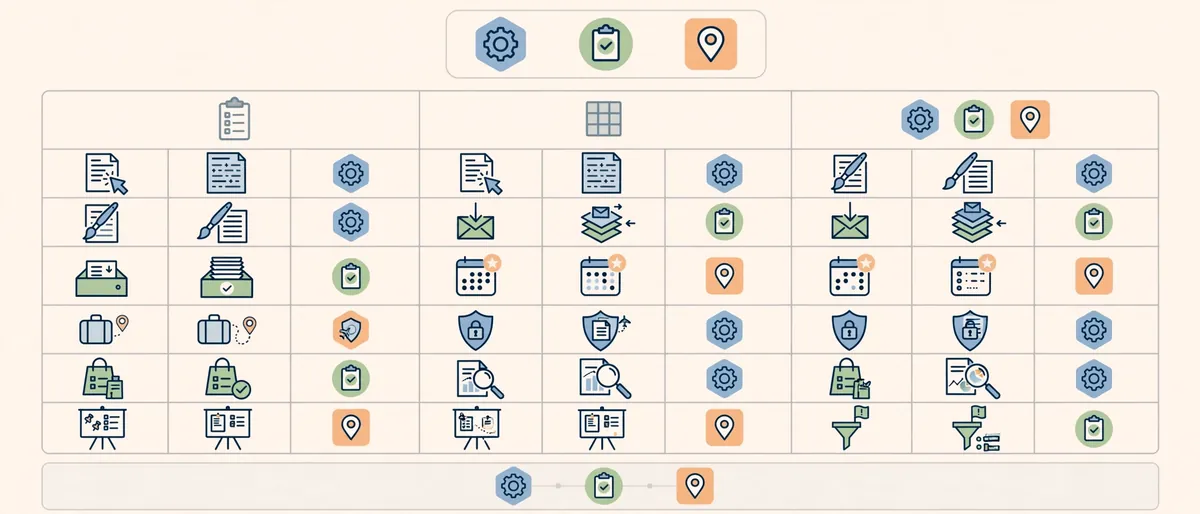
Use this table to see which role naturally fits each type of work.
| Task | Virtual Assistant | Virtual PA |
|---|---|---|
| Data entry and formatting | Excellent fit | Possible, but not ideal use of time |
| Basic email sorting | Good fit | Good fit |
| Inbox management in your voice | Limited | Excellent fit |
| Single meeting scheduling | Good fit | Good fit |
| Full calendar ownership and conflict resolution | Limited | Excellent fit |
| Social media scheduling | Excellent fit | Rarely needed |
| Complex multi-leg travel planning | Possible | Excellent fit |
| Confidential document handling | Case by case | Core responsibility |
| Personal errands and household coordination | Rare | Common |
| Research and lead lists | Excellent fit | Good fit |
| Board or investor meeting prep | Limited | Excellent fit |
| Priority triage and reminders | Limited | Excellent fit |
If you need help building your own delegation list, start with an inventory of every recurring task you touch in a week. Then sort each item into “repeatable,” “judgment-heavy,” or “personal.”
Real-World Scenarios: A Day With Each Role

The scenarios below are illustrative examples of how each role typically operates.
Scenario 1: The Virtual Assistant Model
A marketing consultant needs help with a product launch. She hires a VA for 15 hours a week to build a lead list, schedule social posts, and format a webinar slide deck.
The VA receives clear instructions, delivers each item, and logs the hours. When the launch ends, the consultant reduces the hours. The arrangement stays flexible, focused, and cost-efficient.
Scenario 2: The Virtual PA Model
A founder travels twice a month, manages investor relations, and handles a busy family calendar. He works with a virtual PA who owns his calendar, screens his inbox, and books all travel.
Each morning, the PA sends a short brief: today’s meetings, priority replies, and one risk to watch. The founder stops thinking about logistics entirely. That mental space is the real product.
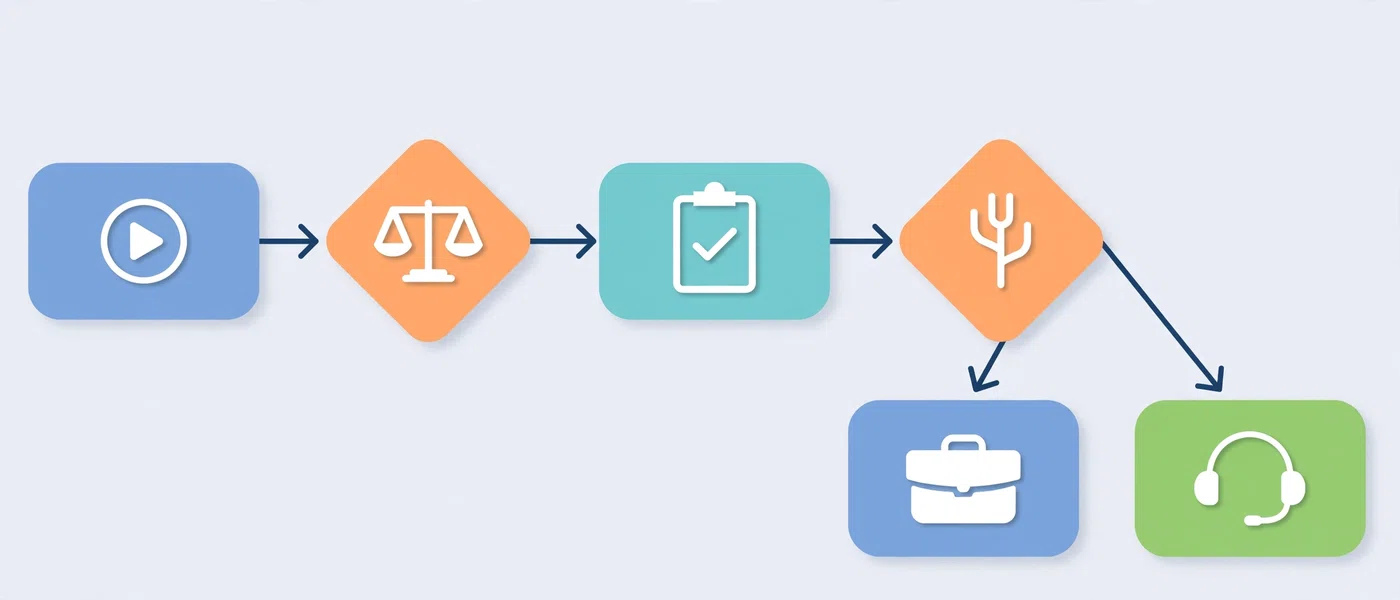
Which One Do You Actually Need? A 5-Step Decision Framework

Ask yourself these five questions in order. Together, they answer the central question behind the virtual PA vs virtual assistant difference.
- Is the work repeatable and clearly defined? If yes, lean toward a VA.
- Does the work require your judgment, voice, or confidential access? If yes, lean toward a virtual PA.
- Do you delegate every day or only occasionally? Daily delegation favors a virtual PA retainer; occasional delegation favors a VA.
- Do you want someone to anticipate problems? If yes, choose a virtual PA.
- Does your life and work blur together? If yes, a virtual PA can manage both lanes.
Quick Decision Table
| Your Situation | Better Fit |
|---|---|
| Launching a project with a clear task list | Virtual assistant |
| Overflow admin work during a busy season | Virtual assistant |
| Executive with a packed, shifting calendar | Virtual PA |
| Solo founder losing hours to inbox and scheduling | Virtual PA (or a hybrid approach) |
| Professional who travels frequently | Virtual PA |
| Team needing specialist support such as bookkeeping | Specialist VA |
| Household and work logistics tangled together | Virtual PA |
If you run a company from scratch, this solo founder guide to virtual support can help you decide which tasks to hand off first.
Specialist Virtual Assistants: A Third Option

Some needs fall outside both categories. A specialist VA focuses on one industry or function, such as bookkeeping, recruiting, or real estate.
For example, a real estate team may not need a general PA. Instead, that team benefits from a specialist who understands deadlines, contingencies, and closing timelines. This overview of how a real estate virtual assistant handles transaction coordination shows how deep specialization looks in practice.
Therefore, before you choose between a generic VA and a virtual PA, ask whether a specialist fits your needs better.
Where AI-Trained Assistants Fit In

AI tools now shape how both roles work. Many providers train assistants to use AI for drafting, summarizing, and scheduling, which speeds up routine work and frees human attention for judgment calls.
Importantly, AI training does not turn a VA into a virtual PA. Speed and judgment remain separate skills. To understand how these models differ, read this explainer on AI-trained virtual personal assistants versus traditional VAs.
Google also stresses that quality content and services should put people first. Its guidance on creating helpful, reliable, people-first content reflects a similar principle: tools help, but trust and expertise still decide outcomes.
Common Mistakes When Choosing Between a VA and a Virtual PA

Avoid these errors to save time and money.
- Hiring by title, not scope. Providers use “VA” and “PA” loosely. Always request a written scope of work.
- Choosing on hourly rate alone. A lower rate with heavy rework costs more than a higher rate with fewer revisions.
- Expecting proactivity from a task-based VA. Instead, set expectations at the start or choose a virtual PA.
- Overpaying for a PA when you need a project helper. If your needs are narrow, a VA gives better value.
- Skipping security basics. Never share passwords in plain text. Use delegated access and a password manager.
- Delegating without documentation. Vague instructions produce vague results, regardless of the role.
- Treating onboarding as optional. The first few weeks shape the entire relationship.
- Ignoring communication rhythm. Agree on check-in times, response windows, and preferred channels early.
Expert Tips for Getting the Most From Either Role
- Start with a trial project. A small, defined test reveals communication style and quality quickly.
- Record short walkthrough videos. A three-minute screen recording beats a page of written instructions.
- Build a preferences document. List your writing tone, meeting rules, travel preferences, and “never do” items.
- Use a shared task board. Visibility reduces status-check messages.
- Review weekly. A 15-minute weekly review keeps expectations aligned and catches drift early.
- Delegate outcomes, not steps. Say “get me to Chicago by 9 a.m. Tuesday” and let the assistant plan the route.
- Upgrade gradually. Many professionals begin with a VA for tasks and later move to a virtual PA as trust grows.
How to Get Started: Step-by-Step Guide

Follow these steps whether you choose a VA or a virtual PA.
- Audit your week. Track every recurring task for five working days.
- Sort tasks into three groups. Use “repeatable,” “judgment-heavy,” and “personal.”
- Pick your role. Use the decision framework above to match the role to the work.
- Set your budget and engagement model. Decide between task-based, hourly, or retainer.
- Draft a written scope. Include tasks, response times, tools, and confidentiality terms.
- Vet the provider. Ask about training, backup coverage, security practices, and replacement policy.
- Run a paid trial. Test with two or three real tasks before committing long term.
- Onboard properly. Share your preferences document, tools, and priorities.
- Review and refine. Adjust scope monthly for the first quarter.
For a detailed walkthrough of vetting and onboarding, use this guide on how to hire a virtual personal assistant as a first-time buyer.
Frequently Asked Questions
What is the virtual PA vs virtual assistant difference in one sentence?
A virtual assistant completes defined administrative tasks, while a virtual PA provides ongoing, proactive, personalized support to one principal. In other words, the VA delivers tasks and the virtual PA manages priorities.
Is a virtual PA more expensive than a virtual assistant?
Usually, yes, on a per-hour basis, because a virtual PA offers dedicated capacity, deeper context, and broader access. However, the total value often rises too, since a virtual PA reduces rework and decision fatigue. Compare engagement models, not just rates.
Can a virtual assistant handle personal tasks?
Yes, some VAs handle personal errands, bookings, and reminders. Still, personal support works best with a dedicated virtual PA, because personal tasks often require discretion and ongoing context.
Can one person work as both a VA and a virtual PA?
Yes. Many assistants start with task-based work and grow into a PA-style role as trust builds. The label matters less than the scope, access, and level of initiative you agree on.
Do I need a virtual PA or a virtual assistant as a solo founder?
It depends on your workload. If your needs are project-based, a VA works well. If your calendar, inbox, and travel drain your day, a virtual PA usually pays off faster. Many founders begin with a VA and upgrade later.
Is an AI-trained assistant the same as a virtual PA?
No. AI training improves speed and consistency, but a virtual PA role depends on judgment, discretion, and context. An AI-trained VA still works within a task scope unless the engagement is structured as a dedicated PA relationship.
Conclusion: Choosing Between a Virtual PA and a Virtual Assistant
The virtual PA vs virtual assistant difference is simple once you strip away the labels. A VA gives you dependable execution on defined tasks. A virtual PA gives you a trusted partner who protects your time, anticipates problems, and carries context from week to week.

To recap:
- Choose a VA for project work, overflow, and specialized tasks.
- Choose a virtual PA for ongoing, judgment-heavy, high-trust support.
- Consider a specialist VA when deep industry knowledge matters most.
- Always confirm scope, access, and security in writing before you start.
Ready to hand off the work that keeps you from your best work? Reclaim your week with a dedicated virtual PA and start delegating with confidence.